What Printer Do I Need for Sublimation? What Really Happens
On this page (3 sections)
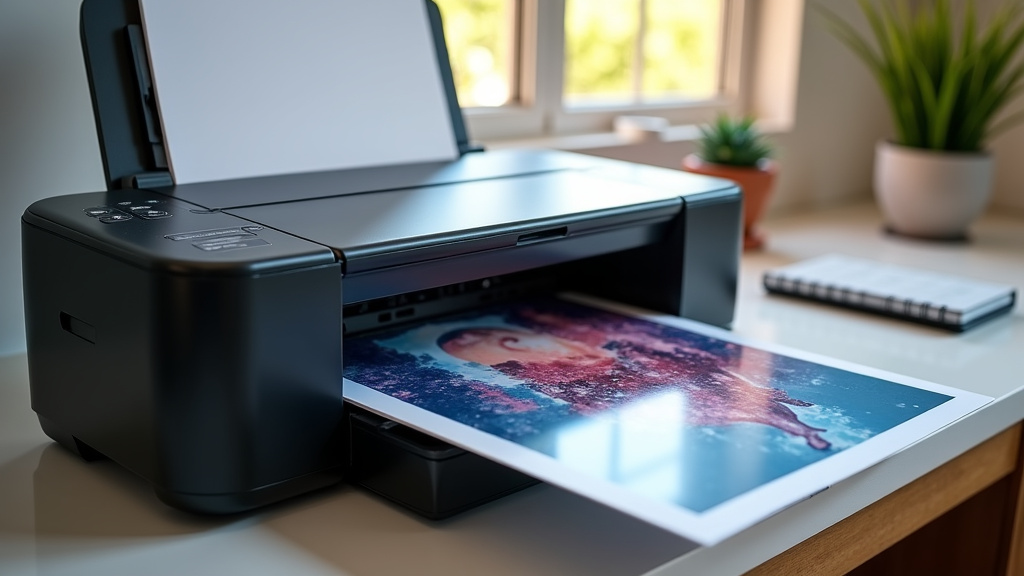
Choosing the right printer for sublimation means you need a specialized inkjet printer. These printers use dye-based sublimation inks to transfer your designs onto surfaces. You can’t just grab any old printer off the shelf for this particular printing method.
What happens during sublimation is pretty cool, but it requires specific equipment. The printer lays down a special ink onto transfer paper. This ink then turns into a gas under heat and pressure, bonding with your material. This process allows for vibrant, permanent designs on things like mugs and shirts.
- You need a printer designed for sublimation.
- Sublimation uses special inks and transfer paper.
- Heat and pressure turn ink into a gas.
- This gas bonds with your item for permanent color.
So, what printer should you be looking at? Let’s break down the key features and what makes a printer perfect for your sublimation projects.
Choosing the Right Printer for Your Sublimation Journey
Picking the correct printer is your first big step into the exciting world of sublimation. It’s not about finding the cheapest option; it’s about finding the right tool for the job. We’ve researched what truly makes a printer suitable for this unique printing process.
Understanding Sublimation-Ready Printers
Sublimation printing requires a specific type of inkjet printer. These aren’t your average home or office printers. They need to be able to handle special sublimation inks. These inks are different from regular printer inks. They’re formulated to transform from a solid to a gas under heat.
Many printers can be converted for sublimation, but buying one already designed for it can save you a lot of hassle. Conversion involves replacing the standard ink cartridges with sublimation ink cartridges. Sometimes, it also means flushing out any old ink to prevent contamination. This process can be tricky and requires careful attention to detail.
Why Special Inks Matter
The magic of sublimation lies in its ink. Sublimation inks are water-based and contain dyes. When heated, these dyes turn into a gas. This gas then permeates the surface of your material. It becomes a part of the item itself. This is why sublimation designs are so durable and vibrant. They don’t sit on top of the surface like regular ink.
The Role of the Printer Mechanism
The printer’s job is to lay down these special inks precisely onto sublimation transfer paper. The quality of the printer’s printhead, its ability to handle different ink viscosities, and its overall reliability are key factors. A good printer ensures the ink is applied evenly and vibrantly, setting the stage for a successful transfer.
Key Features to Look For in a Sublimation Printer
When you’re shopping, keep these important features in mind. They will guide you toward a printer that’s ready to handle sublimation with ease.
Inkjet Technology is a Must
Sublimation printers are always inkjet printers. This technology is essential because it allows for the fine droplet control needed to lay down the sublimation ink accurately on the transfer paper. Thermal inkjet printers, commonly used in many home printers, can sometimes be problematic with sublimation inks due to heat sensitivity. We found that printers designed for pigment-based inks or those with robust ink delivery systems tend to perform better.
Print Resolution and Quality
For detailed and crisp designs, you’ll want a printer with a high print resolution. Look for terms like DPI (dots per inch). A higher DPI generally means sharper images. Many experts suggest a minimum of 1200 x 1200 DPI for good results, though higher is often better for intricate designs. Remember, the printer’s quality directly impacts how your final design looks on the product.
Color Accuracy and Management
Sublimation requires excellent color accuracy. Your design might look one way on your screen and different when printed if your printer can’t reproduce the colors faithfully. Look for printers known for good color reproduction straight out of the box. You’ll also need to use specific ICC profiles when printing from your design software to ensure the colors translate correctly during the sublimation process. Many manufacturers provide these profiles for their sublimation-ready models.
Ink System: Cartridges vs. Tanks
Printers come with either ink cartridges or refillable ink tanks (often called CISS or Continuous Ink Supply Systems). For sublimation, refillable tanks are often preferred by frequent users. Why? They can be more cost-effective in the long run because you buy ink in bottles, not expensive cartridges. Also, it’s easier to refill a tank with sublimation ink than to swap out cartridges.
However, we found that printers using individual ink cartridges can be a good starting point, especially if you’re just beginning. They offer simplicity, though the cost per print will be higher. If you plan on doing a lot of sublimation, investing in a printer with a CISS or a model that can be easily converted and refilled is often the way to go.
What Happens During the Sublimation Transfer Process?
Understanding the actual transfer is key to appreciating why the right printer and ink are so important. It’s a fascinating bit of science!
The Ink Meets Heat and Pressure
Once your design is printed onto sublimation transfer paper, the next step is heat pressing. You place your printed paper face-down onto your item, like a mug or a t-shirt. Then, you apply heat and pressure using a heat press machine. Typical temperatures range from 350°F to 400°F (about 175°C to 205°C).
Under these conditions, the special sublimation ink on the paper doesn’t just melt; it turns into a gas. This is the core of the sublimation process. Think of it like water boiling into steam, but with ink! This gaseous ink then penetrates the pores of the material you’re printing on.
Bonding with the Material
The heat and pressure from the press allow the gaseous ink to bond directly with the polymer or fibers of your item. For items like mugs, they need to have a special polymer coating to accept the ink. For fabrics, the material needs to be polyester-based. Natural fibers, like cotton, don’t hold the sublimation ink well on their own. Many experts recommend a minimum of 65% polyester for vibrant, lasting results (Printful).
As the item cools, the ink gas turns back into a solid state, becoming a permanent part of the item’s surface. This creates a design that is incredibly resistant to fading, cracking, or peeling. It’s not a layer sitting on top; it’s infused within.
Why Your Printer’s Ink Choice is Critical
This entire process relies on the printer’s ability to lay down the correct type and amount of sublimation ink. If you use regular dye ink or pigment ink, it simply won’t vaporize correctly. It might smear, fade instantly, or not transfer at all. The printer is the gateway for that special ink to get onto the transfer paper, ready for its transformation under heat.
Printer Recommendations and Considerations
When you’re looking at actual printer models, you’ll often see a few names come up repeatedly in the sublimation community. These are often printers that are either specifically designed for sublimation or are popular choices for conversion.
Popular Printer Brands for Sublimation
Epson and Sawgrass are two of the most frequently mentioned brands. Sawgrass printers are designed from the ground up for sublimation, making them a straightforward, all-in-one solution. They come pre-filled with sublimation ink and often include their own software.
Epson printers, on the other hand, are often purchased and then converted. Many users find that Epson’s printhead technology is well-suited for sublimation. Models like the Epson EcoTank series are popular for conversion because they have built-in ink tanks that are relatively easy to refill. We found many hobbyists and small businesses start with converted Epson printers.
Factors Affecting Your Choice
Your budget is certainly a factor. Sawgrass printers can have a higher upfront cost. Converted Epson printers might seem cheaper initially, but you need to factor in the cost of the ink, the conversion process (if you buy a kit), and potentially extra maintenance. Volume of printing is another consideration. If you plan to print hundreds of items a month, a more robust or cost-effective per-print solution like an EcoTank with sublimation ink makes sense.
Think about the size of the items you want to print. Do you need to print standard 8.5″ x 11″ designs, or do you need a wider format for larger items like banners or full-size t-shirts? Printer width specifications are important here.
A Quick Checklist for Your Sublimation Printer Hunt
Before you make your final decision, run through this quick checklist:
- Is it an inkjet printer?
- Can it handle high-resolution printing?
- Does it have good color accuracy, or can you easily use ICC profiles?
- Is it a model known for easy conversion or one that comes sublimation-ready?
- Does it fit your budget and printing volume needs?
- Is the print size suitable for your projects?
Conclusion
You’ve learned that sublimation printing requires a specialized inkjet printer. It’s not a standard office machine. The key is its ability to work with sublimation inks that turn into gas under heat. We found that looking for features like high resolution and good color accuracy sets you up for success. Refillable ink tanks are often a cost-effective choice for serious crafters. Your next step is to identify a printer model that matches your budget and project needs. This will help you start creating those vibrant, permanent custom items you envision.
Frequently Asked Questions
Can I use my regular home printer for sublimation?
No, you generally cannot use a standard home printer for sublimation. These printers use regular ink that won’t vaporize correctly. You need a printer specifically designed for sublimation or one that has been converted with special sublimation inks.
What is the difference between sublimation ink and regular ink?
Sublimation ink is formulated to turn into a gas when heated, allowing it to bond with materials. Regular dye or pigment inks do not have this property and will not transfer properly for permanent designs.
Do I need a special heat press machine for sublimation?
Yes, you will need a heat press machine. This device provides the consistent heat and pressure required to turn the sublimation ink into a gas and bond it to your item. An iron is usually not sufficient.
What kind of items can I sublimate on?
You can sublimate on items specifically coated for sublimation, such as mugs, ceramic tiles, and polyester fabrics. For fabrics, a high polyester content (at least 65%) is recommended for the best results.
How do I know if a printer is sublimation-ready?
Printers marketed as “sublimation-ready” come with the necessary features or are designed for easy conversion. You can also research specific printer models that are popular for sublimation conversions, like certain Epson EcoTank models, which often have refillable ink tanks.