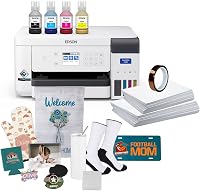
6 Best Dye Sublimation Photo Printers (November 2026)
The best dye sublimation photo printers include the Liene M100 4x6'' Photo Printer for home 4x6 prints, the Liene M100 4x6'' Photo Printer for a larger starter bundle, and the KODAK Dock Plus 4x6 Photo Printer for a phone docking station.
On this page (4 sections)
The best dye sublimation photo printer for most home users is the Liene M100 4x6'' Photo Printer, a dedicated thermal dye sublimation model for 4x6 photos. For smaller keepsakes, consider the Kodak Mini 2 Retro; for wide-format inkjet photos, the Epson EcoTank Photo ET-8550 uses a different printing method.
Dye sublimation photo printers make finished photographs on compatible photo paper. They aren't automatically the right tool for printing transfer sheets used to decorate mugs, shirts or other sublimation blanks.
If you want to print keepsakes from a phone, a compact photo printer can be simpler than a general-purpose printer. If your project needs wide media or transfer paper, first check that the printer and process match the finished result you want.
Our picks at a glance
-
1
-
2

-
3
 Best for a phone docking station
KODAK Dock Plus 4x6 Photo Printer
9.5/10 our score
See it on Amazon
- 4
 Check it
KODAK Mini 2 Retro 2x3 Portable Photo
Best for pocket-size keepsakes - 5
 Check it
Epson EcoTank Photo ET-8550 Wireless Wide-Format All-in-One
Best for wide-format inkjet photos - 6
 Check it
Canon Selphy CP1500 Wireless Compact Photo Printer
Best for flexible connections
Which dye sublimation photo printer fits your photos?
The Liene M100 is the clearest fit for standard 4x6 home photos, while the Kodak options cover a docked phone setup and smaller prints. The Epson ET-8550 is a wide-format inkjet alternative, not a dye sublimation photo printer.
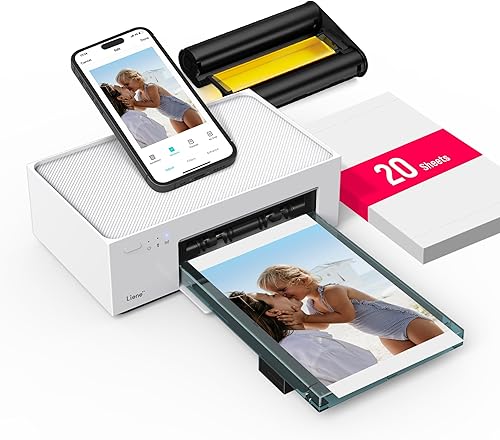
Liene M100 4x6'' Photo Printer: Best for home 4x6 prints
- Thermal dye sublimation
- 4 x 6 in maximum media size
- Built-in Wi-Fi hotspot
- App customization
A dedicated 4x6 thermal dye sublimation printer with app controls and a built-in Wi-Fi hotspot. It fits home photo printing from phones, laptops and PCs.
Pros
- Prints 4x6 photos
- Hotspot works without a home network
- App offers filters and frames
Cons
- Limited to 4 x 6 in media
- Uses proprietary cartridges
The Liene M100 is a dedicated 4x6 thermal dye sublimation photo printer for home use. Its built-in Wi-Fi hotspot lets compatible phones and computers connect directly, and the Liene app offers frames, filters and ID photo printing.
A protective layer is applied during printing. Liene says this helps prints resist water, scratches and fading, though photo storage and handling still affect how prints hold up over time.
The M100 supports up to 5 device connections at once. Its maximum media size is 4 x 6 in, so choose it for standard snapshots rather than larger prints.
The bundle includes 20 sheets of photo paper and one cartridge. For routine family photos, those included supplies make it straightforward to start without adding a separate paper bundle immediately.
Choose this M100 for everyday 4x6 prints from a phone, laptop or PC. If you want a larger supply of paper and cartridges in the box, compare the second M100 bundle below.
Liene M100 4x6'' Photo Printer: Best for a larger starter bundle
- Thermal dye sublimation
- 4 x 6 in maximum media size
- 100 sheets and 3 cartridges included
- Connects up to 5 devices
This Liene M100 bundle adds paper and cartridges for buyers planning a longer run of 4x6 prints. Its built-in hotspot supports up to 5 simultaneous device connections.
Pros
- Includes 100 sheets and 3 cartridges
- Built-in hotspot
- App supports photo adjustments
Cons
- Limited to 4 x 6 in media
- Requires Liene cartridges
This Liene M100 bundle suits buyers expecting to print more photos before restocking. It includes 100 sheets of paper and 3 color cartridges, while retaining the same 4x6 thermal dye sublimation format.
The built-in hotspot avoids relying on a home network for phone printing. Up to 5 devices can connect at once, which can help when family members are sending photos to the same printer.
The Liene app supports edits such as borders, filters, contrast and brightness. The printer accepts media up to 4 x 6 in, so the larger bundle changes how much you can print before replenishing supplies, not the print size.
This is a useful choice for frequent photo sharing or album projects. Make sure the included paper and cartridge format suits the way you plan to print.
KODAK Dock Plus 4x6 Photo Printer: Best for a phone docking station
- 4PASS dye sublimation
- 4 x 6 in prints
- Integrated smartphone dock
- Bluetooth app connection
The Dock Plus pairs 4x6 dye sublimation prints with an integrated smartphone dock that can charge a phone during printing. It suits a stable home printing station.
Pros
- Integrated phone dock
- 4x6 prints
- App supports editing and cropping
Cons
- Designed for desktop use
- Connects to compatible iOS and Android devices
The Kodak Dock Plus combines 4x6 4PASS dye sublimation printing with an integrated smartphone dock. The dock can charge a compatible phone while printing, making this a natural fit for a fixed home photo station.
It also connects to compatible iOS and Android devices through Bluetooth and the Kodak Photo Printer app. The app supports editing and cropping before a photo is printed.
Kodak describes a three-color-layer process followed by clear lamination. The printer is designed for desktop use and connects to a power outlet, so it fits a shelf or desk better than a grab-and-go setup.
Choose it if you want phone docking and standard 4x6 prints in one place. If portability matters more, the Mini 2 Retro uses the same 4PASS approach for much smaller photos.
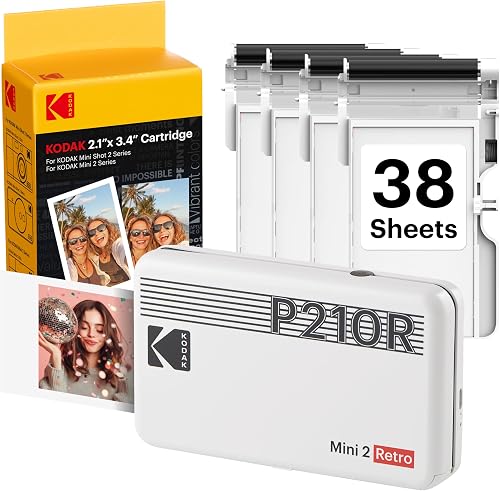
KODAK Mini 2 Retro 2x3 Portable Photo: Best for pocket-size keepsakes
- 4PASS dye sublimation
- Prints about 2.1 x 3.4 in
- Bluetooth app connection
- Portable size
This compact printer makes credit-card-size photos for planners, wallets and albums. Choose it when small keepsakes matter more than standard 4x6 prints.
Pros
- Portable design
- Includes 38 sheets and 4 cartridges
- App supports photo edits
Cons
- Prints smaller than 4x6
- Connects to smartphones
The Kodak Mini 2 Retro is for photos that fit in a wallet, planner or scrapbook pocket. Its maximum media size is about 2.1 x 3.4 in, smaller than the 4x6 prints from the Liene and Dock Plus.
Bluetooth connects it to compatible iOS and Android phones through the Kodak Photo Printer app. You can edit, crop and customize photos before printing, which suits quick keepsakes from a phone.
The package includes 38 sheets of paper and 4 cartridges. Kodak describes its 4PASS process as three color layers finished with a clear protective lamination layer.
Pick this model when you value small prints and portability over a standard photo size. For family albums that use 4x6 prints, the Liene M100 or Dock Plus is a better match.
Epson EcoTank Photo ET-8550 Wireless Wide-Format All-in-One: Best for wide-format inkjet photos
- Six-color Claria ET Premium ink
- Prints up to 13 x 19 in
- Copy and scan functions
- Cartridge-free ink tanks
The ET-8550 is a wide-format inkjet all-in-one for photos and creative projects, not a dye sublimation photo printer. It offers a larger size range, including borderless prints up to 13 x 19 in.
Pros
- Wide-format printing
- Copy and scan functions
- Uses refillable ink bottles
Cons
- Inkjet rather than dye sublimation
- Larger than compact photo printers
The Epson EcoTank Photo ET-8550 is the wide-format option here, but it is an inkjet printer, not a dye sublimation photo printer. Its six-color Claria ET Premium ink system supports photos and creative projects, with printing up to 13 x 19 in.
This all-in-one also copies and scans. Epson describes cartridge-free printing from refillable ink bottles, and says 4x6 photo printing can cost about 4 cents per print under its stated comparison.
Its wider media range makes it more flexible for larger photo projects than the compact dye sublimation picks. It also takes up more room and doesn't meet a strict dye sublimation requirement.
Choose the ET-8550 if wide-format photo and document work matters more than the print method. If you want to print photos on this model, see our guide to printing photos on an Epson EcoTank.
Canon Selphy CP1500 Wireless Compact Photo Printer: Best for flexible connections
- Compact photo printer
- Wi-Fi, USB and memory card connections
- Built-in 3.5 in display
- Water-resistant prints
The Selphy CP1500 is a compact photo printer with several connection options and an onboard display for viewing and editing images. Its print method isn't confirmed here, so check that detail if dye sublimation is a firm requirement.
Pros
- Wi-Fi, USB and memory card options
- Built-in display with filter effects
- Water-resistant prints
Cons
- Print method isn't specified here
- Optional battery pack sold separately
The Canon Selphy CP1500 offers Wi-Fi, USB and memory card connections, along with a built-in 3.5 in display for viewing and editing photos. Canon says prints are water resistant and designed to last up to 100 years.
The product information here doesn't identify its print method. If you specifically need a dye sublimation photo printer, confirm the method for the exact model before choosing it.
The compact design suits home printing and travel. An optional battery pack is available for printing away from a power outlet, and the printer can connect to phones, computers, cameras and USB flash drives.
Choose the Selphy if its connection options and display suit your setup. For a clearly identified dye sublimation process, the Liene M100 and Kodak Dock Plus are easier to match to that requirement.
How did we compare these photo printers?
We compared each model's stated print method, supported media size, connection options and included supplies. Our score weighs specs and features against what you're shopping for, with greater weight on a confirmed dye sublimation process and a useful photo size.
The two Liene M100 entries are separate bundles with different paper and cartridge amounts. They share the same core 4x6 format, so choose between them by how many supplies you want included.
We included the Epson ET-8550 because people searching for a photo printer may need larger prints, but its inkjet process is distinct. The Canon Selphy CP1500 is another compact photo option; confirm its process if dye sublimation is essential.
What should you check before choosing a dye sublimation photo printer?
Start with the finished print size, then check the print method and connection type. A printer that makes attractive photos may still be the wrong fit if you need larger prints or sublimation transfers for blanks.
Is a finished photo printer the same as a sublimation transfer printer?
No. A dedicated photo printer such as the Liene M100 makes finished photos on compatible photo paper, while a transfer setup produces an image intended for heat pressing onto a blank.
The phrase “dye sublimation” can describe both processes, but the equipment and media are not interchangeable by default. Read what printer you need for sublimation before buying equipment for a transfer workflow.
How large do you need your photos to be?
Choose 4x6 if you want a common snapshot size for albums and frames. The Liene M100 and Kodak Dock Plus support that size, while the Mini 2 Retro prints photos about the size of a credit card.
For posters or larger creative projects, the ET-8550 supports media up to 13 x 19 in. It is an inkjet model, so that larger format comes with a different print process.
Will you print from a phone or computer?
The Liene M100 has a built-in hotspot and supports phones, laptops and PCs. The Kodak Dock Plus connects with compatible iOS and Android devices over Bluetooth, while the Mini 2 Retro is designed for smartphone printing.
The Canon Selphy adds Wi-Fi, USB and memory card options. For a different all-in-one workflow, our guide to using a Brother SP1 sublimation printer covers a printer made for sublimation projects.
Do you need a printer and a cutter together?
A photo printer makes the image, but it doesn't cut shapes from paper, vinyl or transfer material. If your craft involves both printing and cutting, plan for a separate cutting machine and check that the two tools support your materials.
Our guide to a sublimation printer and cutter explains when those tools belong in the same setup. For standard photo prints, a cutter is usually not part of the workflow.
Which dye sublimation photo printer should you choose?
Choose the Liene M100 B0983NX3L6 for straightforward 4x6 thermal dye sublimation prints, or the second M100 bundle if you want more paper and cartridges included. Pick the Kodak Dock Plus for a phone-docking station, and the Mini 2 Retro when small keepsakes matter most.
Choose the Epson ET-8550 for wide-format inkjet photos, not for a dye sublimation requirement. If the print method is your main concern, verify it for any model that doesn't clearly identify its process before buying.
Our top 3 picks at a glance
-
1
-
2
-
3
Best for a phone docking station
KODAK Dock Plus 4x6 Photo Printer
9.5/10 our score
See it on Amazon
Frequently asked questions
What is a dye sublimation photo printer?
A dye sublimation photo printer transfers color from a ribbon or cartridge onto photo paper using heat. The Liene M100 and Kodak Dock Plus use this method for 4x6 prints, while the Kodak Mini 2 Retro makes smaller photos.
This is a finished-photo process.
It differs from printing sublimation transfer sheets for pressing onto blanks.
Can I use a dye sublimation photo printer for shirts or mugs?
A dedicated photo printer such as the Liene M100 makes finished photographs on its supported photo paper. It isn't a substitute for a printer and ink setup designed to make transfer prints for sublimation blanks.
Check the intended media and process before choosing equipment for apparel or drinkware.
Is the Epson EcoTank Photo ET-8550 a dye sublimation printer?
No. Epson describes the ET-8550 as an inkjet printer that uses six-color Claria ET Premium inks.
It can print wide-format photos up to 13 x 19 in, so it may suit photo and creative work where larger media matter.
Choose a dedicated dye sublimation photo printer if that print method is required.
What size do dye sublimation photo printers make?
It depends on the model. The Liene M100 and Kodak Dock Plus support 4x6 prints, while the Kodak Mini 2 Retro supports media up to about 2.1 x 3.4 in.
Check the maximum media size against your albums, frames or project before choosing.