8 Best Budget Sublimation Printers (November 2026)
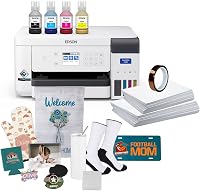
The best budget friendly sublimation printers include the Johnson Plastics Plus Epson SureColor F170 Dye-Sublimation Printer for a compact first setup, the Sawgrass SG500 Sublimation Printer for guided design tools, and the HTVRONT 8.5x11 Sublimation Paper 120 Sheets for stocking up on paper.
On this page (4 sections)
The best budget friendly sublimation printer for most beginners is the Epson SureColor F170, a compact dedicated model that includes genuine Epson sublimation ink and a 150-sheet tray. The Sawgrass SG500 adds design software and longer media support, while the Brother SP1 focuses on creating with a phone or tablet.
A first sublimation setup needs more than a printer. Plan for sublimation paper, suitable blanks, design software or an app, and a heat press that fits the items you want to make.
If you’re still deciding what kind of printer fits your setup, read What Printer Do I Need for Sublimation? What Really Happens.
It explains the difference between dedicated sublimation models and converted inkjet printers.
Our picks at a glance
-
1
 Best for a compact first setup
Johnson Plastics Plus Epson SureColor F170 Dye-Sublimation Printer
9.5/10 our score
See it on Amazon -
2

-
3
 Best for stocking up on paper
HTVRONT 8.5x11 Sublimation Paper 120 Sheets
9.3/10 our score
See it on Amazon
- 4
 Best for phone and tablet projectsCheck it
- 5
 Check it
Pinckney Cartridge-Free Super-Tank Printer with Sublimation Ink
Best for an all-in-one setup - 6
 Check it
DNP QW410 4.5" Dye Sublimation Printer
Best for compact photo prints - 7
 Check it
Johnson Plastics Plus Epson Surecolor F570 24" Desktop
Best for wide format growth - 8
 Best for small photo keepsakesCheck it
How we chose budget friendly sublimation printers
We compared the included ink and paper, supported media sizes, setup tools and intended print formats for each pick. Our score weighs specs and features against what a beginner shopping for an affordable first sublimation setup needs.
These products cover different jobs, so a low-cost photo printer does not take the place of a letter-size craft printer. We included paper as a useful supply option, and marked the photo printers clearly for their limited media sizes.
| Product | Best for | Print width | Included ink | Tray capacity | Our score |
|---|---|---|---|---|---|
| Johnson Plastics Plus Epson SureColor F170 Dye-Sublimation Printer | a compact first setup | Up to 8.5 in | Genuine Epson sublimation ink | 150 sheets | 9.5 |
| Sawgrass SG500 Sublimation Printer | guided design tools | 9.4 | |||
| HTVRONT 8.5x11 Sublimation Paper 120 Sheets | stocking up on paper | 9.3 | |||
| Brother Sublimation Printer | phone and tablet projects | 9.2 | |||
| Pinckney Cartridge-Free Super-Tank Printer with Sublimation Ink | an all-in-one setup | Black, cyan, magenta and yellow | 9.1 | ||
| DNP QW410 4.5" Dye Sublimation Printer | compact photo prints | 8.8 | |||
| Johnson Plastics Plus Epson Surecolor F570 24" Desktop | wide format growth | 50 sheets | 8.7 | ||
| HPRT CP4100 4x6 Photo Printer | small photo keepsakes | 8.1 |
The best budget sublimation printers for different needs
The Epson F170 is the most direct first-printer choice here, while the other picks suit buyers who value software, included app designs, wider media or compact photos. Match the printer to your project size before choosing by price alone.
Johnson Plastics Plus Epson SureColor F170 Dye-Sublimation Printer: Best for a compact first setup
- Genuine Epson sublimation ink included
- 150-sheet auto-feed tray
- Prints up to 8.5 in wide
- Mac and Windows setup
Genuine sublimation ink, a closed paper tray and a compact design make this a straightforward dedicated option for a first setup.
Pros
- Dedicated dye-sublimation printer
- Genuine Epson ink included
- 150-sheet auto-feed tray
Cons
- Mobile device connection is not supported
- Prints up to 8.5 in wide
The Epson SureColor F170 keeps the first setup focused: it is a dedicated dye-sublimation printer and includes a full set of genuine Epson sublimation inks. Its 150-sheet auto-feed tray holds paper in a closed, dust-resistant area.
It prints on media up to 8.5 in wide, which fits common letter-size craft projects. The compact design is intended for hobbyists, crafters and small businesses, and setup supports Mac and Windows.
This model does not support a connection to mobile devices. If you design on a phone or tablet, check the workflow before choosing it.
Choose the F170 when you want a purpose-built printer with ink included and a small footprint. For a complete first setup, compare it with the best sublimation printer starter bundles.
Sawgrass SG500 Sublimation Printer: Best for guided design tools
- Prints up to 8.5 x 14 in
- Bypass tray supports prints up to 8.5 x 51 in
- CMYK SubliJet UHD inks included
- MySawgrass platform and Print Utility
The SG500 pairs sublimation inks with Sawgrass design and print software, plus a bypass tray for longer prints.
Pros
- MySawgrass design platform
- Wi-Fi connectivity
- Long media support through bypass tray
Cons
- Designed for 110/120V US and North American outlets
- More software features may be unnecessary for simple projects
The Sawgrass SG500 suits a beginner who wants design and print tools in one system. Its MySawgrass platform includes templates, while Sawgrass Print Utility offers presets and control over printing.
The printer supports media up to 8.5 x 14 in, with a bypass tray for prints up to 8.5 x 51 in. It includes cyan, magenta, yellow and black SubliJet UHD inks, and Wi-Fi connectivity.
One point to check before buying is power: this model is designed for standard 110/120V US and North American outlets. That matters if your workspace uses another electrical standard.
Choose the SG500 if the software tools and longer media options fit your plans. If a Cricut will be part of your workflow, our guide to the best sublimation printers for Cricut covers that pairing.
HTVRONT 8.5x11 Sublimation Paper 120 Sheets: Best for stocking up on paper
- 120 sheets
- 8.5 x 11 in paper
- For light polyester and coated blanks
- Back-side logo marks the print side
This paper supply suits a beginner with a compatible sublimation printer who wants letter-size sheets for fabric and coated blanks.
Pros
- 120 sheets in the pack
- Works with many inkjet printers
- Print side is marked
Cons
- Paper only, not a printer
- Requires sublimation ink and a compatible printer
HTVRONT paper is a consumable rather than a printer, but it can help a new owner plan the rest of a budget setup. The pack contains 120 letter-size sheets for use with sublimation ink and a compatible inkjet printer.
The paper is described for light-colored polyester fabrics and coated blanks, including mugs, coasters, phone cases, puzzles and metal plates. It is not a substitute for a printer that uses sublimation ink.
The back-side logo helps identify the print side. Store unused sheets in the original box in a cool, dry place away from heat, sunlight and humidity.
Choose this pack if you already have a compatible printer and want a larger paper supply. Check your printer’s paper guidance before loading any third-party paper.
Brother Sublimation Printer: Best for phone and tablet projects
- Works with the Artspira app
- Over 100 designs available in the app
- Genuine Brother sublimation ink included
- Prints up to 8.5 x 11 in
Brother centers its sublimation workflow on the Artspira app, with designs, image saving and mobile creation tools.
Pros
- Genuine Brother ink included
- Artspira offers more than 100 designs
- Desktop printing is also supported
Cons
- Artspira app is required to start
- Heat press sold separately
Brother’s SP1 is built around Artspira, a phone and tablet app with more than 100 sublimation designs. It also lets you import and save up to 20 images, which can help if you prefer to create away from a desktop.
The printer includes Brother Genuine Sublimation Ink and a starter pack of sublimation paper. It supports media up to 8.5 x 11 in, and the heat press needed to transfer the design is sold separately.
Brother’s product information also describes desktop printing through a print driver, while its dedicated Artspira experience remains app-based. Check device compatibility and connection requirements before settling on this workflow.
Choose Brother if the included app designs and mobile creation tools are useful to you. If you want to compare it with other first-project options, see [What Printer Do I Need for Sublimation?
What Really Happens](/what-printer-do-i-need-for-sublimation/).
Pinckney Cartridge-Free Super-Tank Printer with Sublimation Ink: Best for an all-in-one setup
- Sublimation ink bundle included
- Scanner and copier functions
- Supports media up to 8.5 x 47.2 in
- High-capacity refillable tanks
This converted super-tank printer includes sublimation ink and adds scanner and copier functions for a workspace that needs more than printing.
Pros
- Ink bundle included
- Scanner and copier built in
- Supports several paper sizes
Cons
- Converted printer rather than a dedicated sublimation model
- Check setup and support details before buying
The Pinckney bundle combines a converted super-tank printer with sublimation ink and adds scanner and copier functions. Its refillable tanks avoid cartridges, and the included ink set has black, cyan, magenta and yellow bottles.
Supported media include letter and legal sizes, plus several smaller sizes and a long format up to 8.5 x 47.2 in. That range offers flexibility, though a converted printer can involve more setup decisions than a dedicated sublimation model.
This is the option to consider if you want an all-in-one printer and are comfortable with a converted setup. Confirm the included ink, installation steps and support details before buying.
DNP QW410 4.5" Dye Sublimation Printer: Best for compact photo prints
- 4 x 6 and 4.5 x 8 in media options
- USB connection
- Includes printer media
- Designed for photo printing
The QW410 is a dye-sublimation photo printer for small photo formats, rather than the usual letter-size craft transfers.
Pros
- Compact photo-print focus
- Includes 4 x 6 in media
- Supports 4.5 x 8 in media
Cons
- Maximum listed media is 4 x 6 in
- Not suited to standard letter-size shirt transfers
The DNP QW410 is designed for photo printing in small formats. Its supported media options include 4 x 6 in and 4.5 x 8 in, and the package includes a 4 x 6 in paper tray, holder, spacer, media and power cord.
Its 300 x 300 dpi resolution and USB connection are suited to the photo-printing role. The maximum listed media size is 4 x 6 in, so this is not a fit for standard letter-size shirt transfers.
Choose it when small photo prints are the goal and you want a dedicated dye-sublimation photo printer. For apparel, mugs and other craft blanks, consider a model that handles letter-size paper instead.
Johnson Plastics Plus Epson Surecolor F570 24" Desktop: Best for wide format growth
- Supports media up to 24 in wide
- 50-sheet auto-feed tray
- Built-in cutter
- Includes two full ink sets
The F570 supports much wider media than entry-size models, making it a fit for buyers whose work calls for larger prints and more room.
Pros
- Supports media up to 24 in wide
- Built-in cutter
- Includes two full ink sets
Cons
- 151 lb printer needs substantial space
- Ships by freight
The Epson SureColor F570 is the wide-format option in this group, supporting media up to 24 in wide. Its 50-sheet auto-feed tray, built-in cutter and two full ink sets suit larger print jobs.
That capacity comes with a much larger workspace requirement: the printer weighs 151 lb and is 38 in wide. The bundle ships by freight and needs a valid phone number to schedule delivery.
Choose the F570 if your planned work calls for wide prints and you have room for a large desktop printer. It is more machine than most beginners need for small shirt or mug projects.
HPRT CP4100 4x6 Photo Printer: Best for small photo keepsakes
- Prints 4 x 6 in photos
- 20 sheets and ribbon included
- Phone and tablet printing through app
- Wi-Fi and Bluetooth
This compact printer makes 4 x 6 in dye-sublimation photos from a phone or tablet, with a small paper and ribbon starter supply.
Pros
- Small starter pack helps limit initial supplies
- App supports photo layouts
- Waterproof protective layer on prints
Cons
- Only supports 4 x 6 in photo paper
- Not a standard craft transfer printer
The HPRT CP4100 is a compact photo printer for 4 x 6 in images, with printing controlled through the HeyPhoto app on a phone or tablet. It includes 20 sheets of photo paper and a dye-sublimation ribbon for a small initial supply.
The printer uses Wi-Fi or Bluetooth and supports photo layouts, collages and ID pictures through the app. It needs the included AC adapter, and it only supports 4 x 6 in photo paper.
This is a budget-friendly way to try small photo printing, but it does not handle the letter-size paper used for common sublimation craft transfers. Choose it for keepsake photos rather than shirt or tumbler designs.
What should you compare before buying a cheap sublimation printer?
Compare the media size, included ink, design workflow and the other equipment you still need. Those details help reveal whether a low-cost printer matches your projects or leaves important pieces out.
Which budget friendly sublimation printer fits your project size?
For shirts, mugs and similar craft blanks, start with a printer that handles standard 8.5 x 11 in paper. The Epson F170 and Brother SP1 both suit that size, while the SG500 supports wider and longer media.
DNP QW410 and HPRT CP4100 are limited to photo formats, so treat them as small photo printers. The F570’s 24 in width is aimed at larger work and needs substantial space.
How much does included ink and paper matter?
Included supplies affect the first setup because sublimation printing needs compatible ink and paper. The F170 and Brother include their brands’ sublimation ink, while the Sawgrass SG500 includes its CMYK ink set.
The Pinckney bundle includes sublimation ink with its converted printer. HTVRONT paper is a separate supply for a compatible printer, so it should not be counted as a printer option on its own.
Is a converted printer the cheapest choice?
A converted printer may have a lower initial cost, but it requires compatible sublimation ink and correct setup. The Pinckney package combines an already converted super-tank printer with ink, while the Epson F170 is a dedicated sublimation model.
Compare the workflow and support as well as the price. If you prefer fewer conversion steps, a dedicated model may be easier to match with supplies and instructions.
Which budget sublimation printer should you choose?
Choose the Epson SureColor F170 for a compact, dedicated first setup with genuine ink included. Pick the SG500 if its software and longer media support suit your plans, Brother if you want app-based design, and the F570 only if you need wide-format output and have room for it.
Before you buy, match the printer’s paper size to your blanks and budget for a heat press. Then use our guide to best sublimation printers for tumblers if drinkware is your main project.
Our top 3 picks at a glance
-
1
Best for a compact first setup
Johnson Plastics Plus Epson SureColor F170 Dye-Sublimation Printer
9.5/10 our score
See it on Amazon -
2
-
3
Best for stocking up on paper
HTVRONT 8.5x11 Sublimation Paper 120 Sheets
9.3/10 our score
See it on Amazon
Frequently asked questions
What is the cheapest printer for sublimation?
The cheapest option depends on current prices and whether you need a dedicated printer, ink and paper together, or only a photo printer. Compare the Epson F170, Brother SP1 and Sawgrass SG500 by included ink, paper size and setup needs.
A low initial cost can leave you needing extra supplies or a separate heat press.
Can I use a regular inkjet printer for sublimation?
Some inkjet printers can be converted for sublimation, but they need compatible sublimation ink and careful setup. The Pinckney bundle is a converted super-tank printer that includes sublimation ink.
A dedicated model such as the Epson F170 comes with sublimation ink designed for that printer.
Do budget sublimation printers need a heat press?
Yes, you need a heat press to transfer a printed sublimation design onto a suitable blank. Brother notes that a heat press is an additional purchase.
Check your printer, transfer paper and blank requirements together before choosing a setup.
What can a beginner make with a sublimation printer?
A beginner can print designs for suitable polyester fabrics and polymer-coated blanks, such as mugs or coasters. The exact materials depend on the blank and transfer process.
For tumbler projects, compare the printer and blank requirements in our guide to sublimation printers for tumblers.
Is a sublimation photo printer the same as a craft printer?
No. Models such as the DNP QW410 and HPRT CP4100 focus on small photo formats, including 4 x 6 in prints.
For shirt transfers or other common craft projects, look for a printer that handles letter-size sublimation paper.