Can You Sublimate Cotton? A Simple Guide
On this page (9 sections)
- Sublimating on Cotton: What You Need to Know
- Why Cotton Doesn’t Play Nicely With Sublimation Ink
- The Solution: Special Transfer Papers for Cotton
- The Sublimation Process on Cotton: A Step-by-Step
- What to Expect: The Look and Feel of Your Design
- Common Issues and How to Solve Them
- A Quick Checklist for Your Cotton Sublimation Project
- Conclusion
- Frequently Asked Questions
No, you cannot sublimate directly onto 100% cotton fabric. Sublimation ink needs a polyester surface to bond with. When heated, the sublimation ink turns into a gas and bonds with the polyester fibers. Cotton fibers don’t have this ability, so the design will likely wash out.
While pure cotton isn’t suitable, there are ways to achieve a sublimation-like effect on cotton. You can use special transfer papers designed for cotton. These papers create a thin, printable layer on your garment. This allows the sublimation ink to adhere. You’ll often find the results to be bright and durable.
- Sublimation ink bonds with polyester, not cotton.
- Direct sublimation on 100% cotton won’t work well.
- Use sublimation transfer paper for cotton projects.
- This method creates a printable surface on the fabric.
- Expect vibrant and lasting designs with proper technique.
Let’s walk through the best ways to sublimate on cotton, so you can get those amazing designs onto your favorite tees.
Sublimating on Cotton: What You Need to Know
You’re probably here because you love cotton shirts. They’re soft, breathable, and feel great against your skin. But can you get those vibrant, custom designs you see with sublimation onto your favorite cotton tees? The short answer is: not directly.
Sublimation printing is a fantastic technology for creating permanent, full-color designs. It works by turning solid ink into a gas under heat and pressure. This gas then infuses into the fibers of the material. The key here is how the ink bonds. It needs a surface that can accept this gaseous ink and hold onto it. Research shows that sublimation ink needs synthetic fibers, especially polyester, to bond correctly.
Why Cotton Doesn’t Play Nicely With Sublimation Ink
So, why is cotton such a holdout? Cotton is a natural fiber. Think of it like a soft, fluffy cotton ball. When sublimation ink hits pure cotton, it can’t properly bond with those natural fibers. Instead, the ink tends to sit on top, like paint on glass. It might look okay for a moment, but it’s not really part of the fabric.
Imagine trying to dye a piece of plastic with fabric dye. It just won’t stick, right? Cotton behaves similarly with sublimation ink. The heat and pressure required for sublimation can actually cause the ink to just fade away or wash out easily. Many DIYers have found this out the hard way, ending up with faded, patchy designs after just one wash. It can be pretty disappointing when you’ve put in the effort.
This is why most sublimation printing guides and tutorials will strongly recommend using materials with a high polyester content. Usually, a blend of at least 65% polyester is suggested for good results. Some even push for 100% polyester for the brightest, most durable outcomes.
The Solution: Special Transfer Papers for Cotton
Don’t despair! Just because direct sublimation on cotton isn’t ideal, it doesn’t mean your cotton projects are doomed. There’s a clever workaround that many crafters and small businesses use. It involves using special sublimation transfer papers designed specifically for cotton or low-polyester blends.
These papers act as a bridge. They create a printable surface on your cotton garment that sublimation ink can bond with. Think of it like laying down a special printable sticker onto your shirt before you apply the sublimation design. The transfer paper has a coating that is receptive to sublimation ink. When heated, the ink turns into a gas and bonds with this coating, which is then pressed onto your cotton.
How These Papers Work
These transfer papers are often called “sublimation paper for cotton” or “inkjet transfer paper for sublimation.” The process involves printing your design onto this special paper using sublimation ink. You can compare this use of inkjet printing with sublimation when choosing a method. Then, you use a heat press to transfer the design from the paper onto your cotton item. The heat and pressure cause the sublimation ink to gasify and embed itself into the paper’s coating.
When the paper is pressed onto the cotton, the coated design transfers. The key difference is that the design is now on a thin, flexible layer that has adhered to the cotton. This layer provides the polyester-like surface the sublimation ink needs to bond permanently. Many manufacturers suggest these papers can work with as little as 20% polyester content, opening up a world of possibilities for cotton apparel.
Types of Transfer Papers and What to Look For
When you’re shopping for these papers, you’ll find a few different types. Some are designed for light-colored fabrics, while others can work on dark colors too. It’s essential to read the product description carefully.
- Light Fabric Papers: These are the most common. They are designed to transfer onto white or very light-colored cotton. The transfer layer is usually thin and clear or slightly opaque.
- Dark Fabric Papers: These papers often have a white or opaque base layer. This allows your design’s colors to show up vibrantly on dark cotton. They might feel slightly thicker on the garment.
- Peel Type: Some papers are “hot peel,” meaning you remove the paper right after pressing. Others are “cold peel,” requiring you to let it cool down first. Following the manufacturer’s instructions is vital here.
Look for papers that specifically state they are for use with sublimation ink and are compatible with cotton or low-polyester blends. Reputable brands often provide detailed instructions and tips for the best results.
The Sublimation Process on Cotton: A Step-by-Step
Ready to give it a try? Here’s a general rundown of how you’ll typically achieve a sublimation-like effect on cotton using transfer paper. Remember, always follow the specific instructions that come with your chosen transfer paper and sublimation ink.
Gathering Your Supplies
Before you start, make sure you have everything you need. This helps avoid interruptions. You’ll need:
- A sublimation printer with sublimation inks.
- High-quality sublimation transfer paper suitable for cotton.
- Your cotton garment (pre-washed and dried is often best).
- A heat press. While an iron might seem tempting, a heat press provides consistent temperature and pressure, which is crucial.
- Heat-resistant tape to secure your transfer.
- Protective paper or parchment paper to shield your heat press.
Printing Your Design
This is where your creativity shines! Print your design using your sublimation printer. Remember to mirror your image before printing. Most design software has a mirror function. This is non-negotiable for text and symmetrical designs. Use your sublimation software or printer settings to mirror the image.
Cut out your design, leaving a small border around it. This helps prevent any unwanted ink from transferring. For very fine details, consider using a cutting machine.
Setting Up for Heat Pressing
Preheat your heat press to the temperature recommended by the transfer paper manufacturer. This temperature can vary, but it’s often between 375°F and 400°F (190°C – 205°C). Ensure your press is clean and free of any residue.
Place your cotton garment flat on the lower platen of the heat press. If you’re using a light-colored garment, you might want to place a piece of protective paper inside the shirt. This prevents the ink from bleeding through to the other side. Now, carefully position your printed design face down onto the area of the garment where you want it. Use heat-resistant tape to secure it firmly. This stops the paper from shifting during the pressing process.
The Transfer Process
Once everything is set, close the heat press. Apply the recommended pressure and time. This duration can range from 30 seconds to 60 seconds or more, depending on the paper. Accurate time, temperature, and pressure are key to a successful transfer. They ensure the ink fully converts to a gas and bonds with the transfer paper’s coating.
When the timer goes off, carefully open the heat press. Now comes the peel. Depending on your paper, you’ll either do a hot peel or a cold peel. Remove the transfer paper slowly and evenly. If you peel too soon or too fast on a cold peel paper, you might end up with a faded or splotchy design.
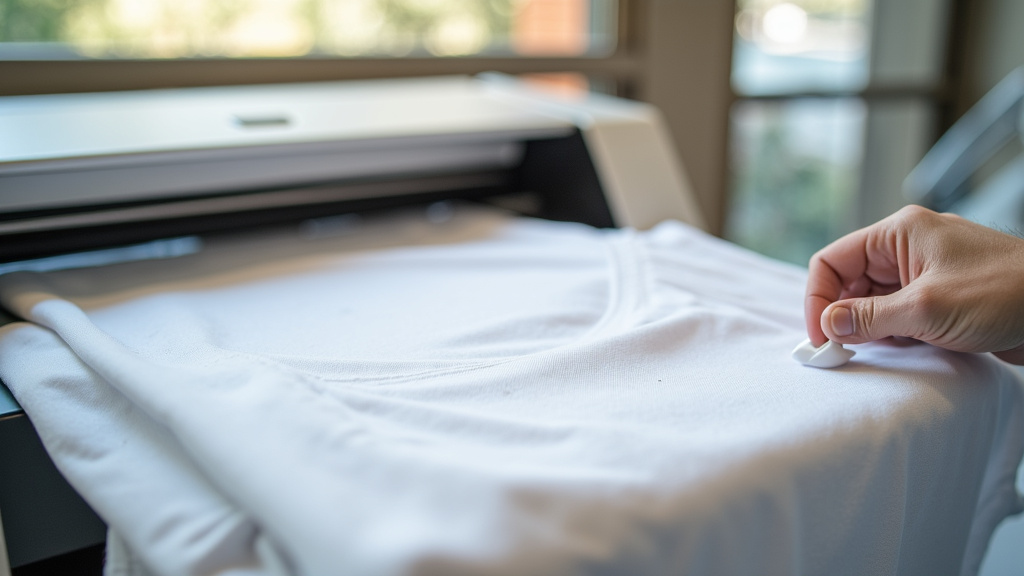
What to Expect: The Look and Feel of Your Design
It’s important to set realistic expectations. Designs transferred onto cotton using these special papers won’t feel exactly the same as a direct sublimation print on polyester. Because the design sits on a transfer layer, there can be a slight texture on the garment.
For lighter fabrics, this texture is usually minimal and very flexible. It moves with the fabric. On darker fabrics, the transfer layer might feel a bit more noticeable. Many users find the feel to be comparable to a high-quality screen print or a heat transfer vinyl (HTV) design. It’s generally not thick or stiff, especially with thinner papers.
Durability and Care Instructions
Research and user experiences indicate that these transfers are quite durable. They are designed to withstand multiple washes. To maximize the lifespan of your design, follow these care tips:
- Wait 24 hours before washing. This allows the transfer to fully cure.
- Wash inside out in cold water.
- Use a mild detergent. Avoid bleach or fabric softeners.
- Tumble dry on low heat or hang dry. High heat can damage the transfer layer over time.
- Do not iron directly on the design. If you need to iron the garment, turn it inside out or place a protective cloth over the design.
By taking these steps, your custom cotton creations should remain vibrant and beautiful for a long time. You’re essentially protecting that special transfer layer.
Common Issues and How to Solve Them
Even with the best transfer papers, you might run into a few hiccups. Here are some common problems and how to address them:
Faded or Splotchy Designs
This is often due to incorrect temperature, time, or pressure. Ensure your heat press is calibrated. If the temperature is too low or the time too short, the ink won’t gasify properly. If the pressure is uneven, parts of the design might not transfer well.
Another cause can be a bad peel. If you’re using a cold peel paper and try to peel it hot, you’ll likely get a faded result. Always check your paper’s specific peel instructions.
The Design Feels Stiff or Heavy
This usually points to using a thicker transfer paper than necessary, especially on a light garment. For light fabrics, opt for the thinnest, most flexible paper you can find that still provides good color vibrancy. Make sure you are applying the correct amount of pressure; too much can sometimes compress the transfer layer too much.
Ink Bleeding or Ghosting
“Ghosting” happens when the transfer paper shifts slightly during the peel, leaving a faint “ghost” image. This is almost always caused by the paper moving. Ensure you use enough heat-resistant tape to secure it firmly and peel slowly and evenly.
Ink bleeding can occur if the ink wasn’t fully transferred or if you’re using a paper not designed for the fabric color. Double-checking that your sublimation ink is fresh and high-quality also helps.
A Quick Checklist for Your Cotton Sublimation Project
Ready to get started? Keep this handy checklist to ensure you don’t miss a beat:
- Prepare Your Garment: Ensure your cotton item is clean, dry, and pre-washed.
- Mirror Your Design: Always mirror your image before printing with sublimation ink.
- Use the Right Paper: Select sublimation transfer paper specifically made for cotton or low-poly blends.
- Secure Your Transfer: Use heat-resistant tape to prevent any shifting during pressing.
- Follow Heat Press Settings: Adhere strictly to the recommended temperature, time, and pressure for your chosen paper.
- Proper Peeling Technique: Whether hot or cold, peel the transfer paper correctly according to instructions.
Conclusion
While you can’t sublimate directly onto 100% cotton, your creativity isn’t limited. By using specialized sublimation transfer papers, you can achieve vibrant, lasting designs on your favorite cotton items. These papers create a compatible surface for sublimation ink, bridging the gap between natural fibers and the sublimation process. Remember to follow the paper manufacturer’s instructions carefully for the best results. Your next custom cotton project is within reach!
Frequently Asked Questions
Will sublimation transfer paper make my cotton shirt feel stiff?
The feel can vary depending on the paper used. Lighter, thinner papers often result in a minimal, flexible texture that moves with the fabric. Thicker papers, especially for dark colors, might feel slightly more noticeable but are generally not overly stiff.
How long will sublimation designs on cotton last?
When properly applied and cared for, sublimation transfers on cotton can be quite durable. Following the recommended washing instructions, like washing inside out in cold water and avoiding high heat, will help your designs stay vibrant for many washes.
Can I use a regular iron instead of a heat press for cotton sublimation transfers?
While some transfer papers might mention iron use, a heat press is strongly recommended. Heat presses provide consistent temperature and pressure across the entire design, which is essential for proper ink gasification and bonding, leading to better, more reliable results.
What’s the difference between sublimation paper for light and dark cotton?
Sublimation paper for light fabrics is typically clear or slightly opaque, allowing the fabric color to show through. Papers for dark fabrics usually have a white or opaque base layer to ensure your design’s colors appear bright and true on darker material.
Do I need to pre-wash my cotton garment before using sublimation transfer paper?
Yes, it’s generally a good idea to pre-wash your cotton garment without fabric softener. This removes any sizing agents or residues that could interfere with the transfer process and also pre-shrinks the fabric, giving you a more accurate final size for your design.


